
A couple of days ago, I changed some internal Substack options to separate out The Russians as its own unique “Section” — the idea is for the pod to stand alone as more of its own thing, apart from the newsletters I send out. That apparently broke a few things (thanks to a listener for pointing this out). Annoyingly and most importantly, it generated a totally new paid subscriber podcast feed.
So if you are a paid subscriber and you use the unique feed URL Substack generates for your podcast app, you’ll need to grab a new link from your account page. That info can be found here: https://yasha.substack.com/account
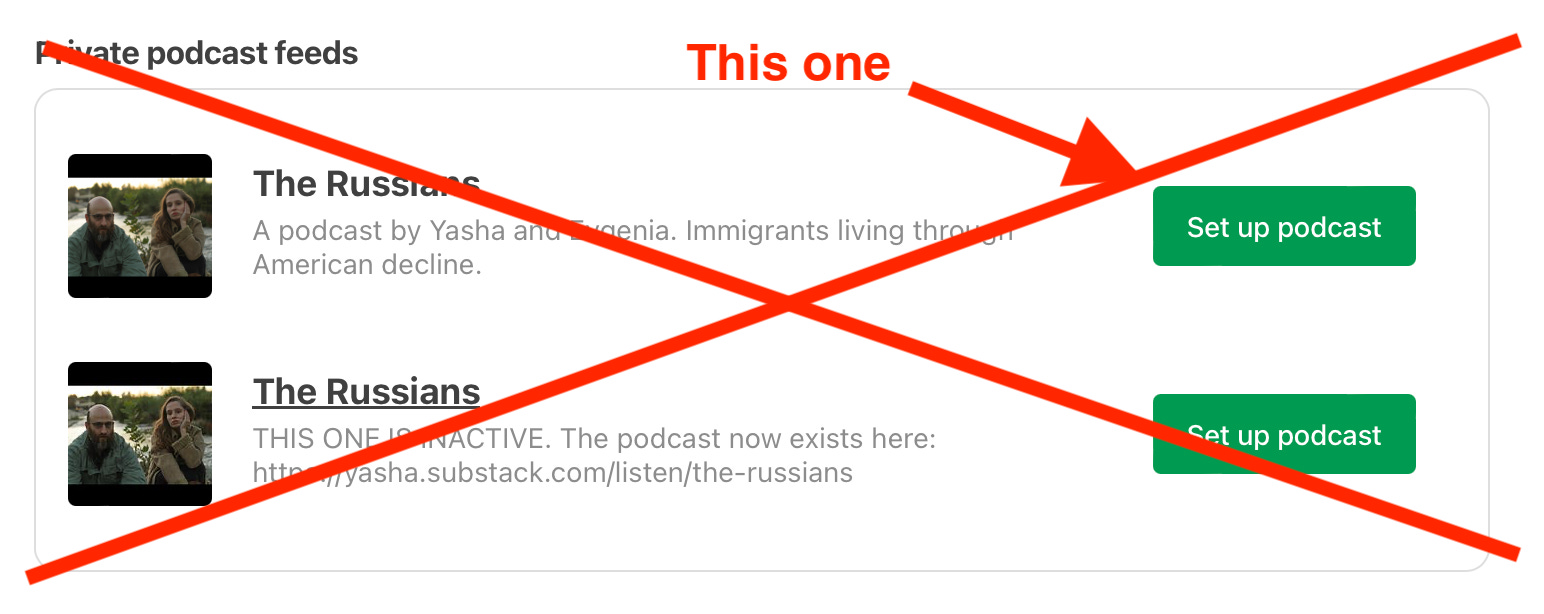
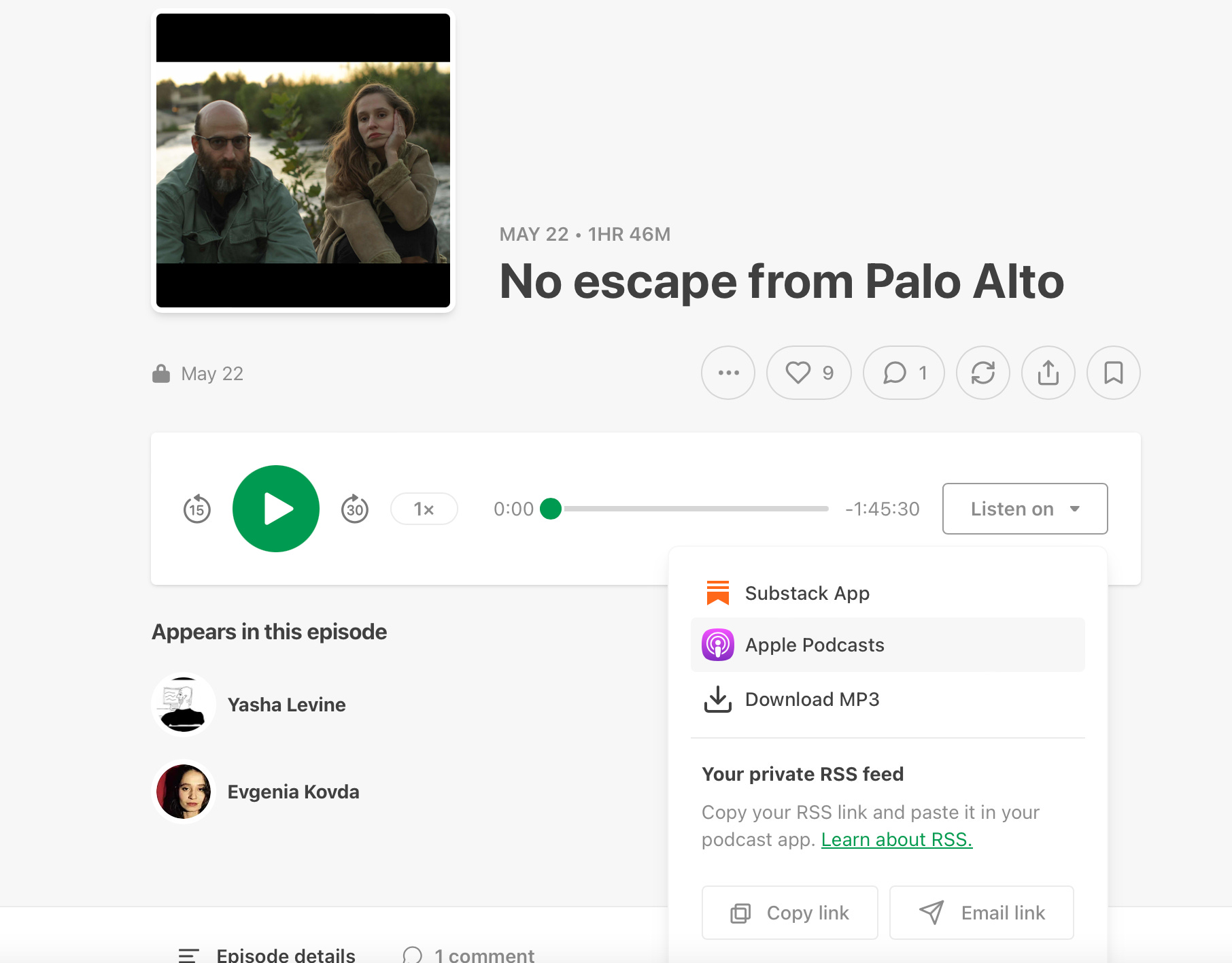
UPDATE: No, the better way to do it and the way that generates the correct link is to open up any of the episodes on Substack — like the last one we did — and grab the link using one of the buttons there. Doing it through the settings like I said earlier does not seem to work for a lot of people. Substack is buggy, it generates an inactive link.
Hope it works!
Apologies about the mixup. Substack runs a very buggy, very confusing settings regime. All that VC money and they can’t get basic things like this right.
—Yasha
PS: From now on emails alerting you to new podcasts eps will come from The Russians and not Yasha Levine. A huge change, I know.
And listen to our latest…
No escape from Palo Alto

Listen now (106 min) | We talk to Malcolm Harris, a journalist and author of the new book Palo Alto: A History of California, Capitalism, and the World. We discuss why Palo Alto is so powerful and so central to the American Empire, despite its seeming provincialism, and why the concept of The Californian Ideology is bogus. Also we find out where James Franco found “inspiration” for his
Please see the update above.
I followed your link and put it in my podcast app. It created a dead link to The Russians which wouldn't load anything. Then I tried again and it created a new link to your podcast, but not it's under Yasha Levine, and not The Russians.
I decided not to worry, take a break, and watch Balshoi Lebovski:
https://www.youtube.com/watch?v=3yzSoRqakr0